
The MPC Wallet
The MPC Wallet is being built around a straightforward idea: your wallet should stay under your control.
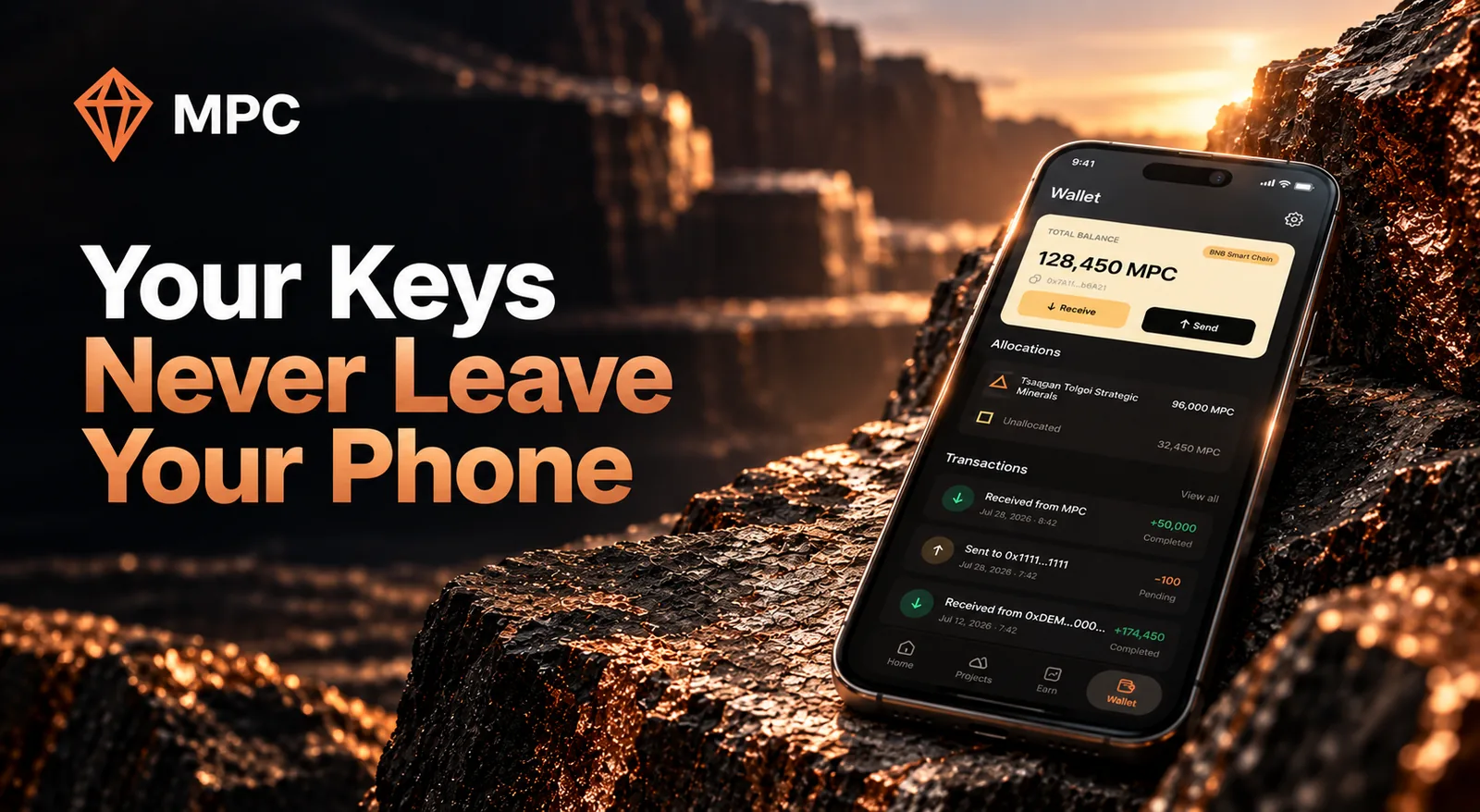
The MPC Wallet is being built around a straightforward idea: your wallet should stay under your control.
When you create a wallet, the key is generated locally on your device. No server receives a copy of it. The wallet is being built around self-custody, with the private key remaining on the device throughout the wallet's use.
Built specifically for $MPC on BNB Smart Chain, the initial release focuses on core functionality: holding, sending, and receiving $MPC safely. By generating and storing keys locally, the wallet is designed so that no external server, including ours, has access to your funds.
Your recovery phrase stays with you
During wallet creation, the app generates a 12-word recovery phrase. The wallet can also restore standard recovery phrases containing 12 to 24 words. The recovery phrase allows the wallet to be restored outside the MPC app. A compatible wallet can use the same phrase to recover the wallet and its assets. That also means the recovery phrase needs to be protected carefully. Anyone who gets it can potentially restore the wallet.
During setup, the app asks you to enter three randomly selected words from your recovery phrase. The wallet cannot complete the setup until all three words are entered correctly. The app also provides options to copy the phrase or save it elsewhere. If you save it to another app, file, device, or cloud service, that app or service may be able to access it. Writing it down on paper or storing it in a secure, encrypted location is much safer.
Protecting access to the app
The wallet uses a six-digit PIN, with fingerprint or face unlock available as an additional way to access it. This is there to protect the app on your device. The key remains stored on the device whether you unlock the wallet with a PIN or biometrics.
Sending and receiving $MPC
The first version is being built around $MPC on BNB Smart Chain. Once $MPC is available, you will be able to receive it using your wallet address and send it to another address from the app. Before signing a transaction, the wallet shows the relevant transaction details so you can review them before approving.
BNB is also shown alongside your $MPC balance because BNB Smart Chain uses BNB to pay network fees. The wallet checks your available BNB and can warn you when the balance is too low to cover the transaction fee. That network fee comes from BNB Smart Chain itself.
Signing transactions on your phone
When you approve a transaction, the wallet uses the private key stored on your phone to sign it. The signed transaction can then be sent to the blockchain for processing. The private key stays on the device.
The code will be public
The wallet's code will be available on GitHub so developers can inspect how the implementation handles things such as key generation, storage, and transaction signing. Making the code public will not remove the need for testing or security review, but it will give people the ability to look at the implementation rather than relying entirely on a product description. That is how we want the wallet's security model to be examined as development moves toward release.
What self-custody means in practice
There is no server-side copy of your private key. There is also no account recovery process where MPC can recreate your wallet for you.
If you lose access to your device and your recovery phrase, the MPC team cannot restore the wallet on your behalf. Keeping the recovery phrase secure remains the responsibility of the person who holds the wallet.
Where the wallet is today
The MPC Wallet has not been released yet. The wallet is in testing and release preparation. The current work covers wallet creation, recovery, PIN and biometric access, sending and receiving, balance and recent $MPC transfer history, and on-device transaction signing.
The team is finalizing remaining design work and preparing the app for distribution on the Google Play Store and iOS App Store. Availability will be announced once approvals are complete.
— MPC Team, globalMPC
September 30, 2026