
The evidence lifecycle
Seven stages take a project from registration to a published, integrity-committed Registry version — and back into review when a source underneath it moves.
- Status
- Design & build stage
- Whitepaper basis
- §4.1 Verify — Real-World Verification · §5.2 Verification Architecture · §5.3.1 Data Structure
- Verified on-chain today
- None — nothing here is deployed yet
- Still at design stage
- Evidence Adapter contract · Compliance Policy Engine rule versions · Registry anchor batch · Change monitor
- 01
Register the project
Name, host country, mineral, related entities and the material currently in hand. Rights, government consent, issuer and SPV stay
pendinguntil each is evidenced. - 02
Store material and record provenance
Contractually accessible project material goes into a private Data Room. The system records file version, hash, authoring time, source, licence terms and sensitivity.
- 03
Professional review
A CP/QP, laboratory, legal reviewer or independent assurance reviewer works inside their own credential and scope. Every result carries a scope and a limitation.
- 04
Compute readiness
A versioned rule set grades each requirement
ok,watch,gapornot_evaluable, with a reason. This shows how prepared the evidence is. It decides nothing. - 05
A person decides
An authorised approver reads readiness, limitations, conflicts and data age, then records
go,hold,reworkorstop— signed, with the input snapshot preserved. - 06
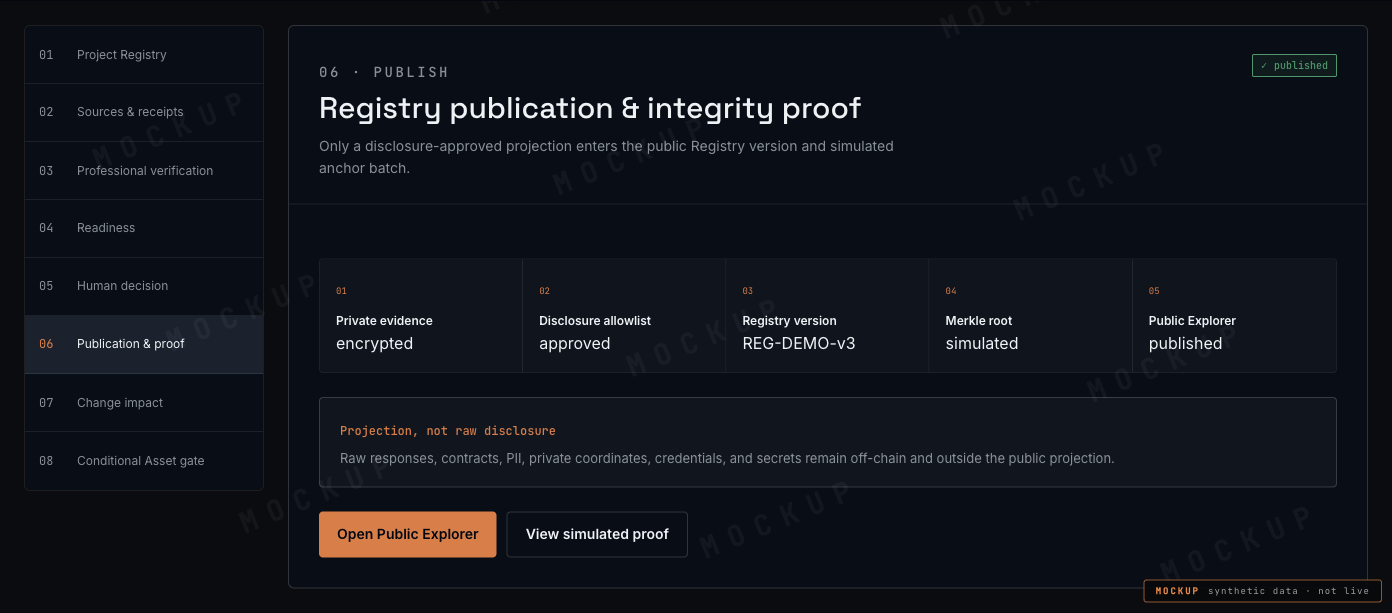
Publish the Registry version
Only disclosure-approved items reach the Public Explorer. Readers see the current state plus previous versions, corrections, revocations, limitations and the chain inclusion proof.
- 07
Watch for change
When a source changes or a reviewer's credential expires, the affected reviews and decisions are found again, flagged, and — if a blocking requirement weakens — the dependent function is restricted until re-review completes.
Four ways in, one receipt contract
Where an API exists, the adapter checks authentication, signature and schema. Where one does not, an official extract, a verifiable electronic document or a manual registry check produces the same Source Receipt: authority scope, query basis, received and as-of dates, hash of the raw response, schema and adapter version, freshness, and how far the result may be republished.
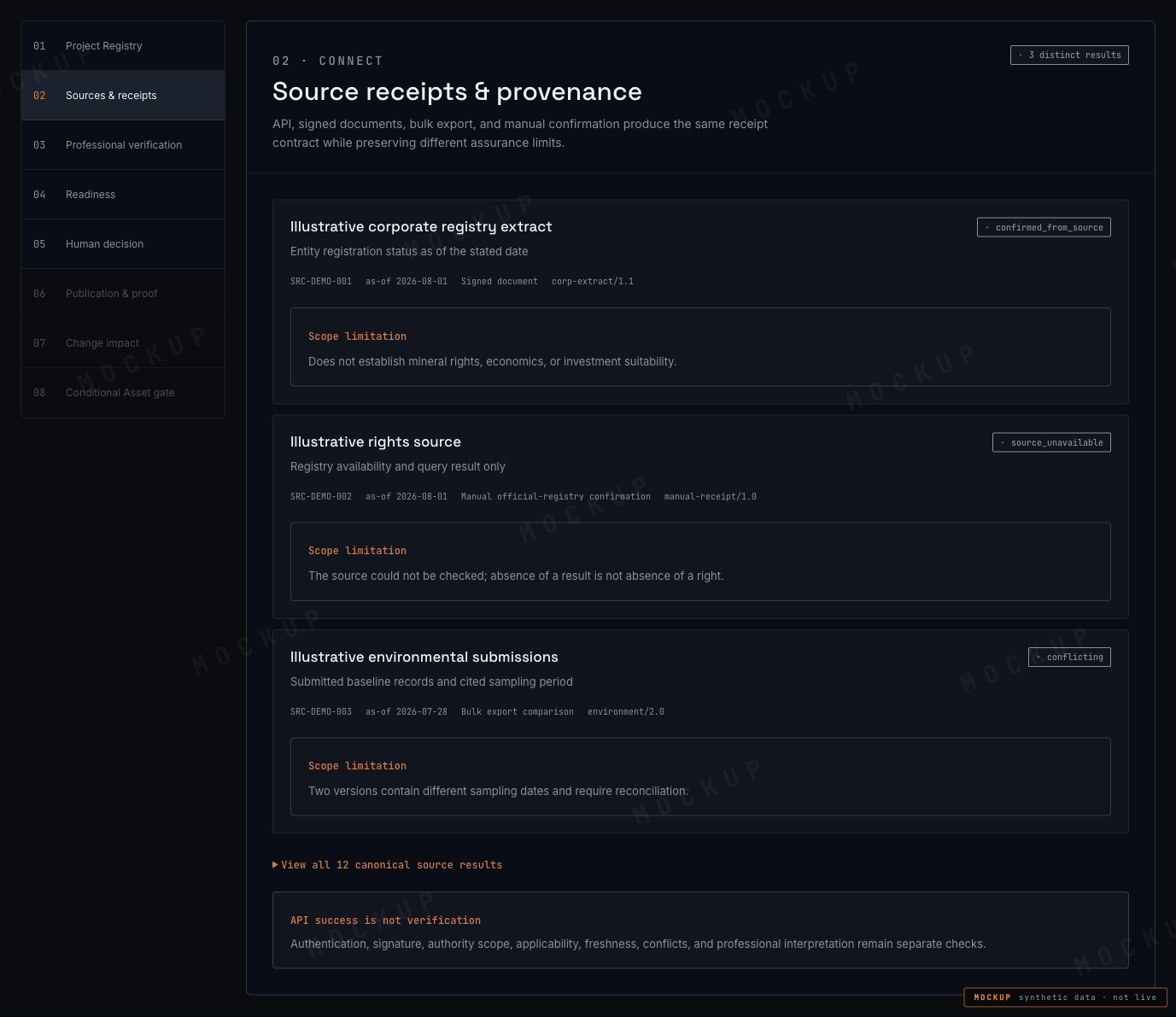
Twelve results, not two
Collapsing these into pass/fail is what makes a registry lookup misleading. Each result has a different owner and a different next action.
| Result | Meaning | Next action |
|---|---|---|
confirmed_from_source | Compared with the source within its stated scope | Review scope and limitation |
source_returned_no_record | No record found for this query | Confirm the query or request manual review |
not_applicable | Not applicable under the stated basis | Review the applicability basis |
access_not_authorized | Access is not authorised | Follow the administrator or authority process |
source_unavailable | Source is currently unavailable | Retry, or use an approved manual fallback |
authentication_failed | Connection authentication failed | Connection administrator |
signature_invalid | Source signature could not be validated | Quarantine and security review |
schema_changed | Source format changed | Pause and reconcile the adapter |
stale | Information is out of date | Request a refresh |
conflicting | Sources disagree | Compare versions and request expert review |
manual_review_required | Manual review is required | Submit an official document or review request |
legal_interpretation_required | Legal interpretation is required | Route to the responsible legal reviewer |
- Result
confirmed_from_source- Meaning
- Compared with the source within its stated scope
- Next action
- Review scope and limitation
- Result
source_returned_no_record- Meaning
- No record found for this query
- Next action
- Confirm the query or request manual review
- Result
not_applicable- Meaning
- Not applicable under the stated basis
- Next action
- Review the applicability basis
- Result
access_not_authorized- Meaning
- Access is not authorised
- Next action
- Follow the administrator or authority process
- Result
source_unavailable- Meaning
- Source is currently unavailable
- Next action
- Retry, or use an approved manual fallback
- Result
authentication_failed- Meaning
- Connection authentication failed
- Next action
- Connection administrator
- Result
signature_invalid- Meaning
- Source signature could not be validated
- Next action
- Quarantine and security review
- Result
schema_changed- Meaning
- Source format changed
- Next action
- Pause and reconcile the adapter
- Result
stale- Meaning
- Information is out of date
- Next action
- Request a refresh
- Result
conflicting- Meaning
- Sources disagree
- Next action
- Compare versions and request expert review
- Result
manual_review_required- Meaning
- Manual review is required
- Next action
- Submit an official document or review request
- Result
legal_interpretation_required- Meaning
- Legal interpretation is required
- Next action
- Route to the responsible legal reviewer
The canonical source-result vocabulary, versioned with the adapter schema.
Readiness is computed. Decisions are signed.
| Status | Plain meaning |
|---|---|
ok | The data requirement is met |
watch | Work can proceed, with a caveat and scheduled follow-up |
gap | Required evidence or review is missing |
not_evaluable | The source or legal basis needed to judge is absent |
- Status
ok- Plain meaning
- The data requirement is met
- Status
watch- Plain meaning
- Work can proceed, with a caveat and scheduled follow-up
- Status
gap- Plain meaning
- Required evidence or review is missing
- Status
not_evaluable- Plain meaning
- The source or legal basis needed to judge is absent
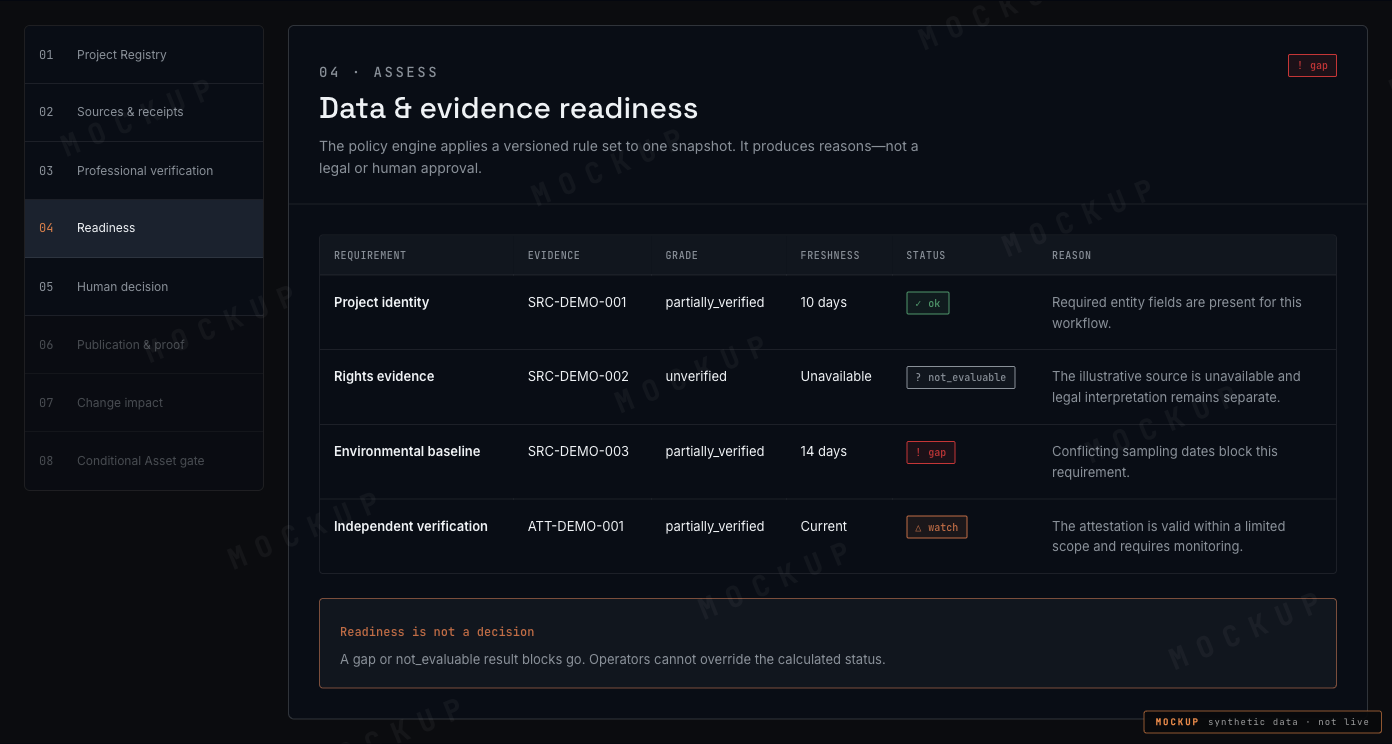
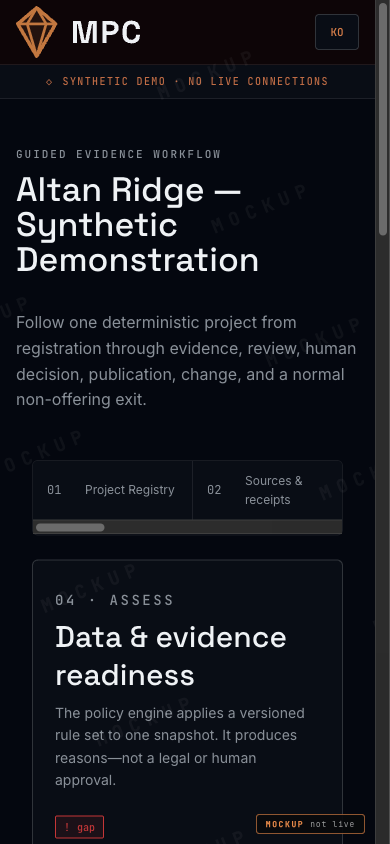
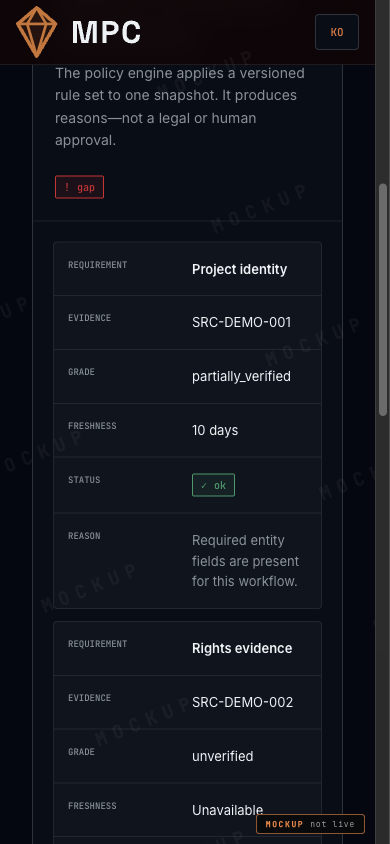
There is no operator override control anywhere on this screen. An operator cannot turn a gap into an ok for convenience, and an all-ok snapshot does not turn itself into a go.
Publication carries a commitment, not a document
- 01Private evidenceencrypted
- 02Disclosure allowlistapproved
- 03Registry versionpublished
- 04Projection rootanchored
- 05Public Explorerreadable
When a source moves underneath a decision
- 01
schema_changed
An upstream source changes format or content. New data is not silently normalised into the old shape.
- 02
stale_candidate
Dependent claims, attestations, assessments and Registry versions are identified and marked.
- 03
suspended
If a blocking requirement weakens, pre-defined dependent functions are restricted while re-review runs.
- 04
new attestation
A verification party signs a new frozen snapshot with updated limitations.
- 05
supersede
The new version supersedes the old one. The previous anchored version stays visible with the credential state it had at publication.
What this does not do
- The policy engine does not advance a lifecycle stage on its own.
- A failed source lookup is never displayed as a zero or an empty value.
- Published records are not deleted or overwritten when they turn out to be wrong.
This chapter is a public adaptation of the internal product specification. Where the two differ, the specification and the whitepaper govern.
MPC dApp Guide · design & build stage · synthetic demo data